
Seequent Evo Drilling Campaigns
Planned
The rest of this topic describes publishing, importing and reloading planned
- Publishing to Seequent Evo
- Importing a Drilling Campaign From Seequent Evo
- Reloading a Drilling Campaign
- Displaying Drilling Campaign Progress
See Drillhole Planning Groups for an overview of working with
Publishing to Seequent Evo
When a planned
- Collar locations
- Planned paths
- Any model evaluations
To publish planned
Importing a Drilling Campaign From Seequent Evo
Leapfrog Energy can import drilling campaign geoscience objects from Evo where the
In addition, although drilling campaign geoscience objects may contain evaluations, when a drilling campaign is imported from Evo, only the collar locations and paths are included.
To import a drilling campaign from Evo, right-click on the Planned Wells folder and choose Import From Seequent Evo. Select the workspace that contains the data you wish to import. For more information on importing objects from Evo, see the Importing Data from Seequent Evo topic.
Reloading a Drilling Campaign
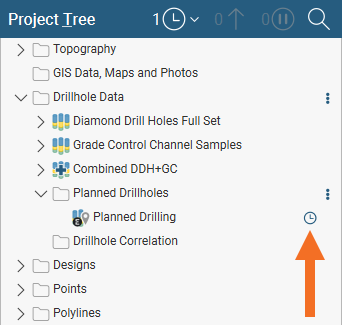
When an object imported from Evo is updated in Evo, a status indicator will appear in the Leapfrog Energy project tree alongside the object that has changed. For example, there is a newer version of this drilling campaign available in Evo:
To update the object, right-click on it in the project tree and choose Reload From Seequent Evo:
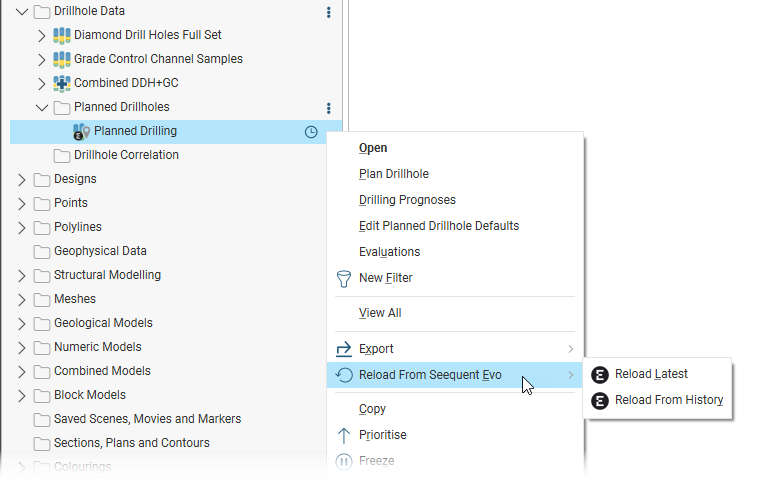
You can reload the latest version available in Evo or choose which version of the drilling campaign you wish to load.
See the Updating Out-of-Date Seequent Evo Objects topic for more information on updating changed objects.
Displaying Drilling Campaign Progress
Drilling campaign objects created by other tools and stored in Seequent Evo can be opened in Leapfrog Energy to communicate interim progress in drilling campaigns against the planned
From the Planned Wells folder, select Import from Seequent Evo and select a drilling campaign with as-drilled data. A planned
You can add this planned
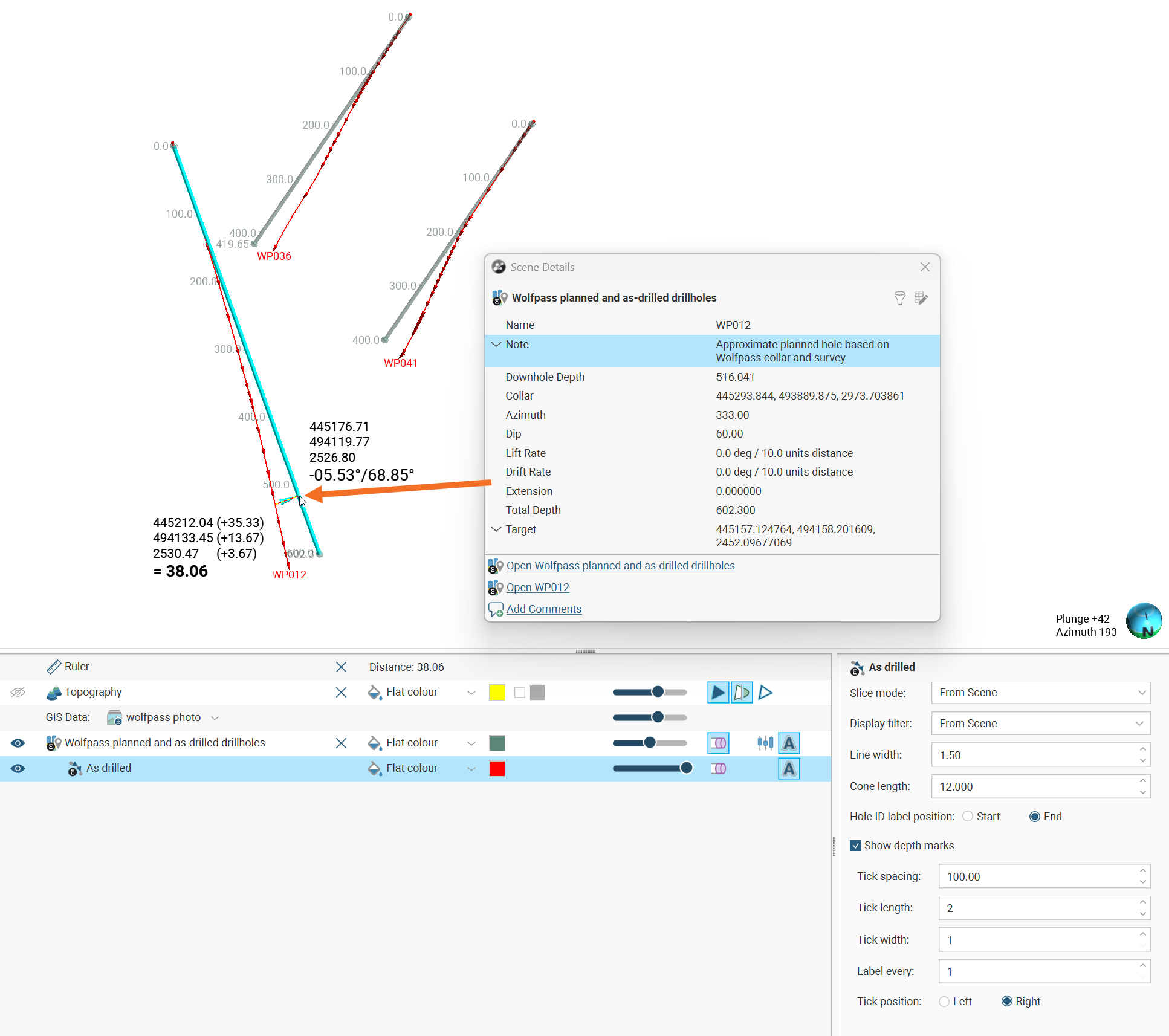
Alongside the planned
Open the as-drilled data object in the project tree and a collar and a survey table will open. These cannot be edited, and must be updated using the tools that write the data into Seequent Evo. Within Leapfrog Energy you can choose to ignore rows within these tables, however. The planned
Click on a planned