Planning a Fan of Drillholes

This topic describes how to fan a grid of drillholes as part of a drillhole group. It is divided into:

See Drillhole Planning Groups for an overview of working with drillhole groups in Leapfrog Energy.

The Drillhole Group Window

To plan a fan of drillholes, add the data objects to the scene that you will use in defining the planned drillholes, such as any existing drillholes and surfaces that represent the collar and target locations. Next, open an existing drillhole group or create a new one by right-clicking on the Planned Wells folder and selecting New Drillhole Group.

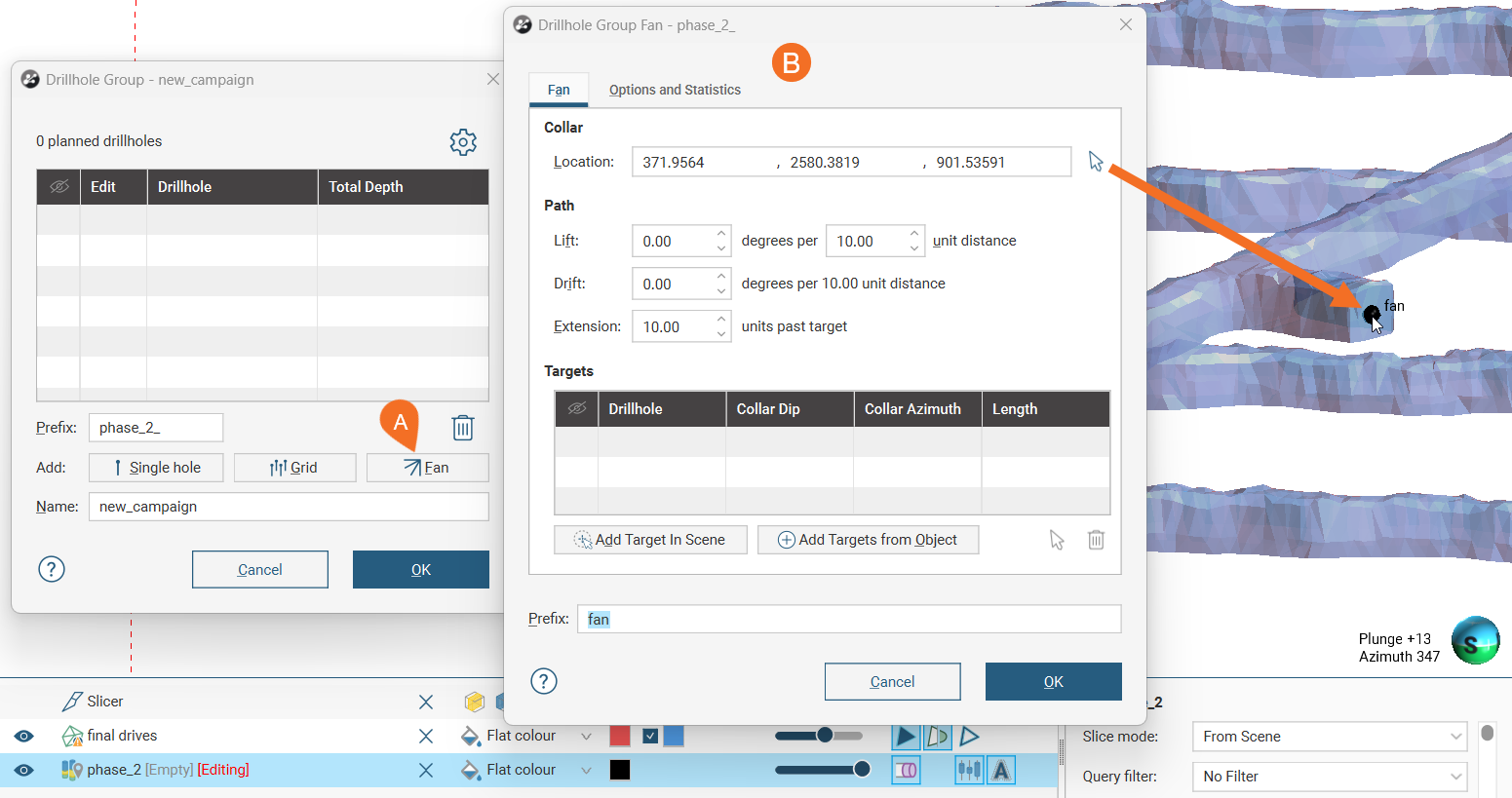
Click the Fan button in the Drillhole Group window (A). This opens the Drillhole Group Fan window (B). A point will appear at the default Collar Location. You can enter a new Location for the fan collar point, or you can click the arrow icon () and then click on an object in the scene to select a location.
Clicking the Grid button marked A opens the Drillhole Group Grid window marked B, with the grid and its handles shown in the scene marked C and the resulting number of holes marked D

The fan created in this window is not saved in the project tree and so cannot be edited. Clicking OK closes this window and creates the drillholes specified by the fan, adding them to the drillhole group. Although you cannot edit this fan once it has been closed, you can create another fan to add more drillholes to the drillhole group.

Specifying the Path

The planned drillhole paths can be specified using the Lift in degrees per a specified unit distance and Drift settings.

You can specify a planned Extension distance beyond the target.

Using a Target Surface

You can click on objects in the scene and use the selected points as targets for planned drillholes in the fan. Here, we have used a vein system volume we will use as the target surface. Two drillholes have already been added, and now Add Target In Scene has been clicked again. Crosshairs in the scene show where the target will be placed. Click to set the target location.
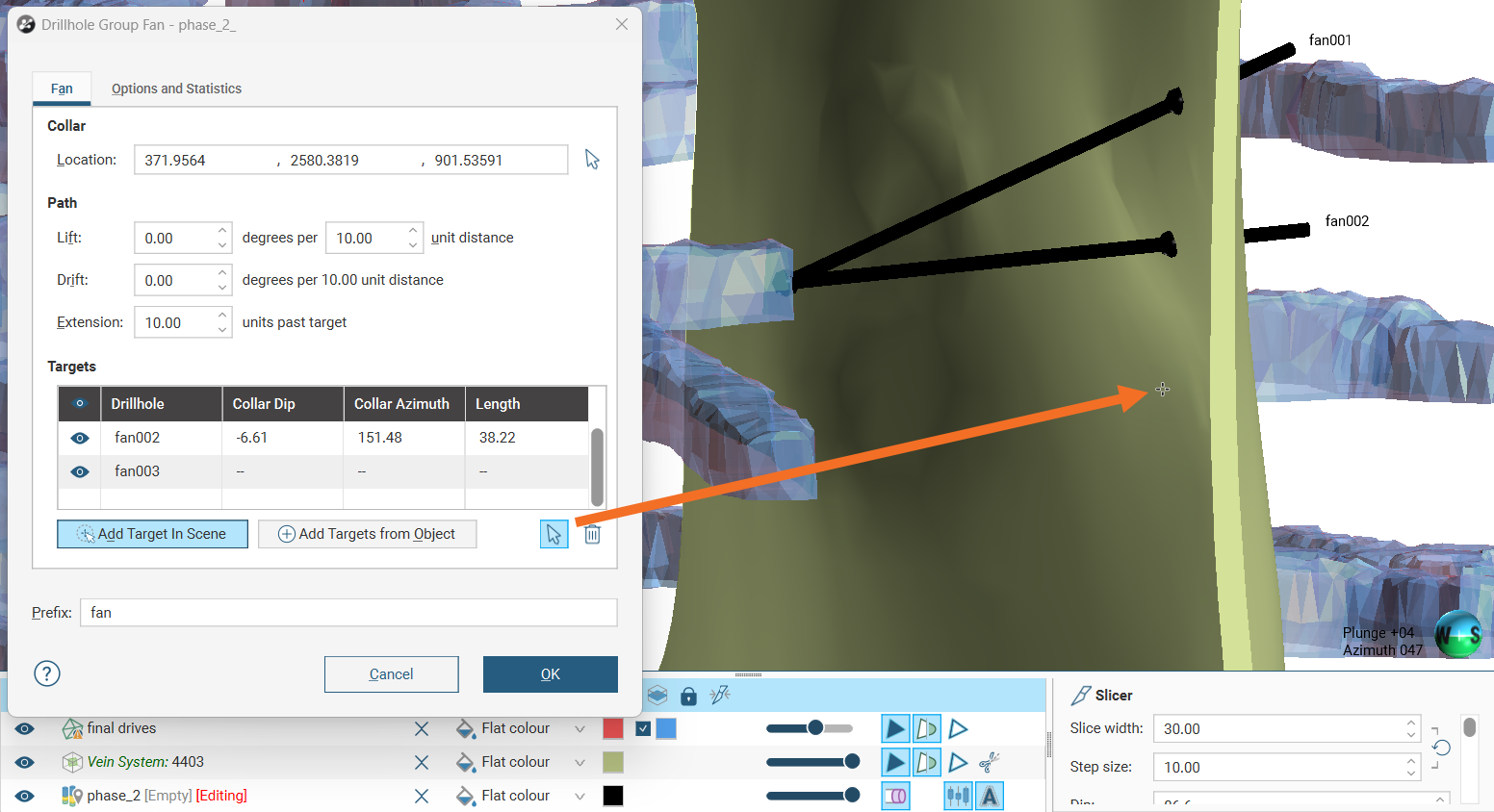
As we have selected targets on the near side of the modelled vein, it will be important to specify a sufficiently long Extension past the target to ensure each planned drillhole collects the data we expect. Note how the points on the mesh are represented as points, but the planned drillhole extends past those points as the Extension was set to 10 units past target.

Using Target Objects

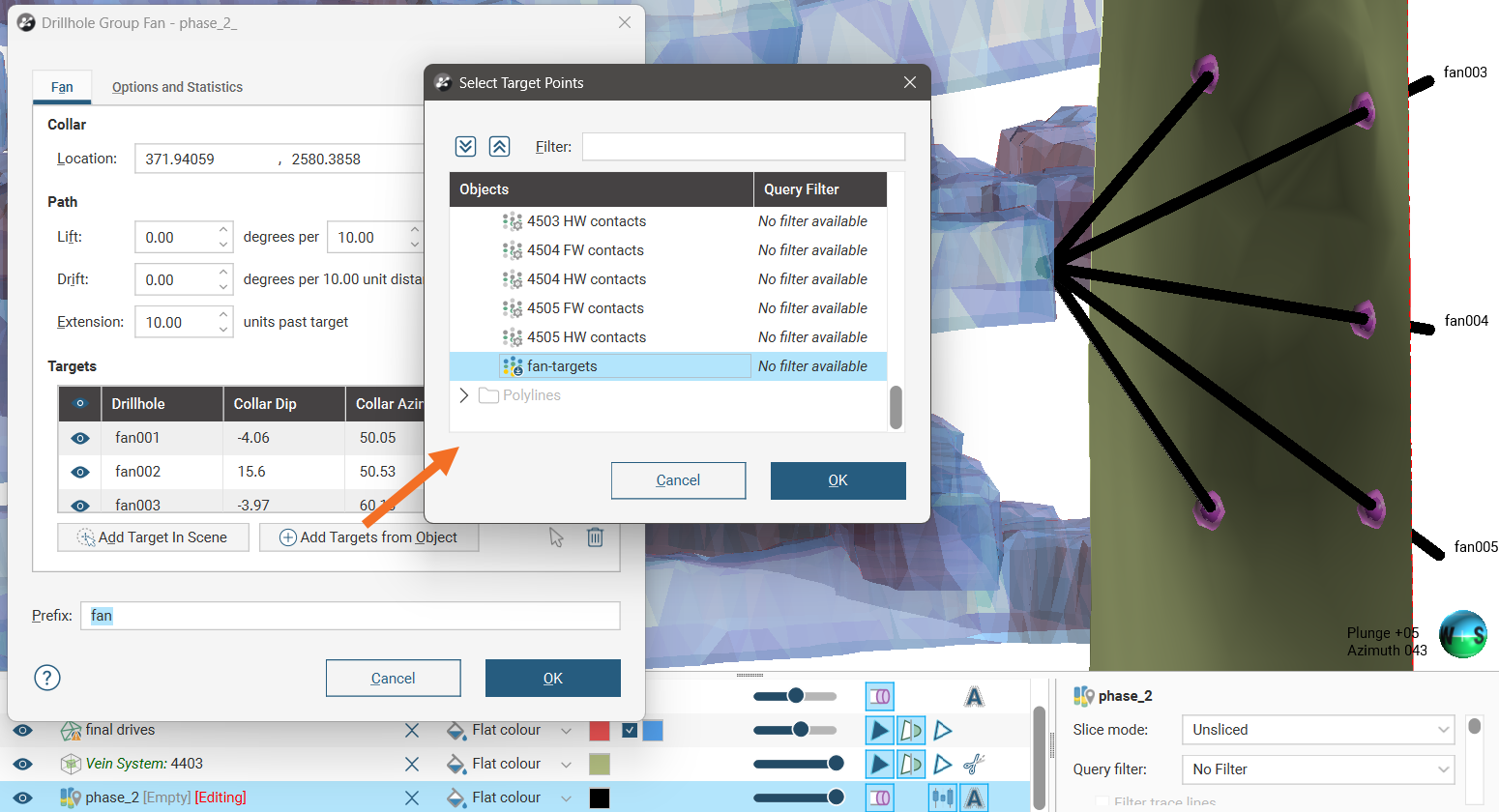
You can choose points in the project to use as specified targets for each planned drillhole in the fan. Click Add Targets from Object. The Select Target Points dialog opens. Select points objects from those available in the Objects list. A query filter may be used to reduce the candidate list of targets down to a desired number.

When you click OK, the planned drillholes will be added to the Targets list and will appear in the scene between the selected collar point and each of the selected target points.

Viewing Planned Drilling Statistics

Switch to the Options and Statistics tab to see more information about the drillholes in the Statistics section, which contains information useful for making decisions about the planned campaign:

  • Number of holes: How many holes will be created according to the current settings
  • Drilling total: What total linear distance will be drilled if the plan is executed
  • Minimum hole length: The length of the shortest planned drillhole
  • Average hole length: The mean length of the planned drillholes
  • Maximum hole length: The length of the longest planned drillhole

Notes provides a place to record freehand comments relating to the planned drillhole group. The note will be copied to the Notes field of each individual drillhole that results from the fan.

Generating the Planned Drillholes

Once you have set up the fan and the planned drillholes spacing and path, click OK to generate the new planned drillholes. They will be added to the drillhole group as individual entries. Editing them is no different from editing those created using the single-hole method.

If you wish, you can create a new fan to add more drillholes to the group.