
Projection Algorithm
Long section layouts get an additional Projection algorithm option in the toolbar:

Choose between:
- Orthogonal. Drillholes, planned drillholes and downhole points will be projected onto long sections using a strict orthogonal projection. Where a long section has panel bends due to the shape of the long section, this may result in a drillhole appearing discontinuous, although the projection is strictly correct due to the bend being flattened onto the section. It is also possible for a drillhole to appear on more than one panel.
- Illustrative. Drillholes, planned drillholes and downhole points will be projected onto long sections using a projection that proportionally scales the projection angle into section panel bends, giving all drillholes a natural contiguous appearance on the section. This projection cannot be used for obtaining accurate distance measurements using the section drawing, but it can be useful for communicating the underground model to non-technical audiences.
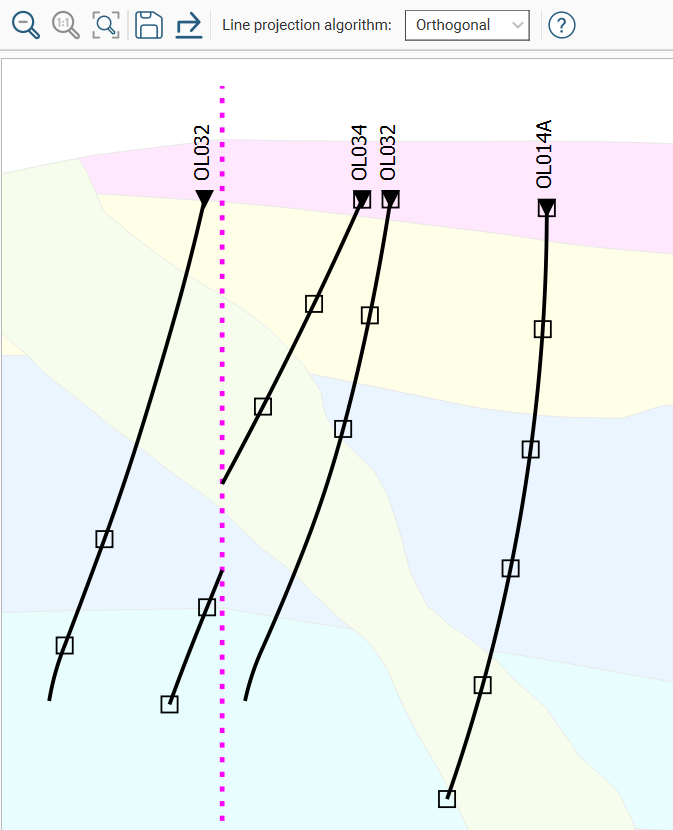
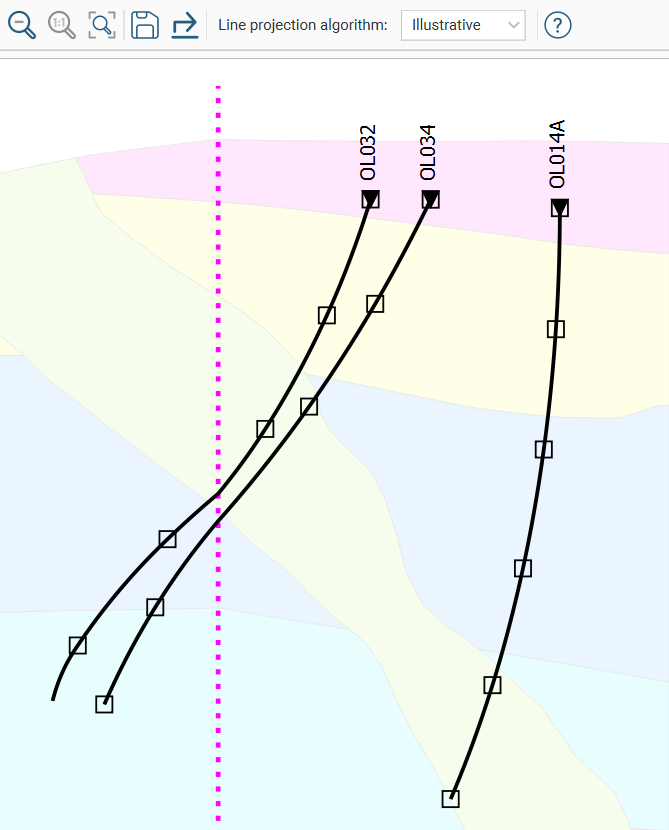
When drillholes, planned drillholes and downhole points are added to a curved long section, each object is projected onto each panel segment of the section. When the orthogonal projection algorithm is used, the projection point of origin is orthogonal to the section panels. When the illustrative projection algorithm is used, the bisectors of the angles between each panel segment and its neighbour determine the projection point of origin for a given segment of the section. When objects are filtered by the distance to the section plane, the distance is measured at 90 degrees from the section. With illustrative projection, some objects may report a distance that is greater than the specified minimum distance; if this is the case, it is because the evaluation distance is relative to the projection origin.
On the inside of a tight corner, a single object may be projected multiple times onto the section. If this is the case, the multiple instances of the object will appear in the projection settings window and you can turn individual instances off, if required.
Leapfrog Geo will remember the option you select and will use that as the default the next time a new layout is created.