Validation Rules Gallery
This validation rules gallery contains examples of validation rules that, when defined, will trigger error messages when data logged does not meet the condition of the rule logic. In these examples, we use column and header field names that will help you to understand how the formula has been constructed and where information used in the formula is coming from.
- Finish Date Cannot Be Earlier Than Start
- Duplicate Entries Not Allowed
- Validate That Data is Filled Sequentially
- Validate Data Against a Previous Amount
- Flagging Characters Not Allowed
If you want to use one of these formulas in your own validations:
- Create the inputs.
- Click the Copy button for the code example.
- Paste the example into the formula editor.
- Change the input names to match your own, if needed.
In the same way you can copy the validation message.
Finish Date Cannot Be Earlier Than Start
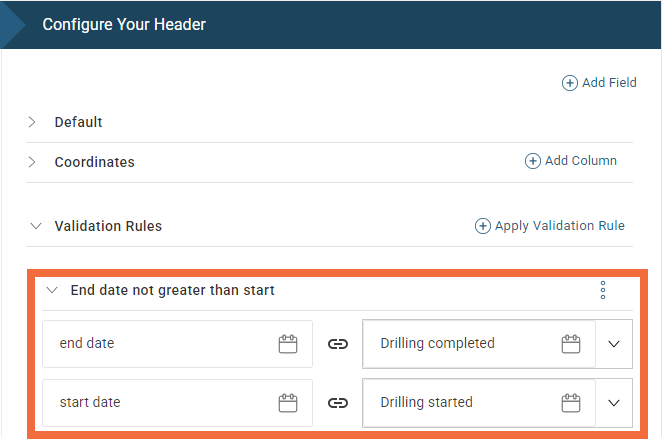
If an end date is logged as earlier than the start date, then this validation will display an error. Two date type inputs, EndDate and StartDate, are added for this validation rule.
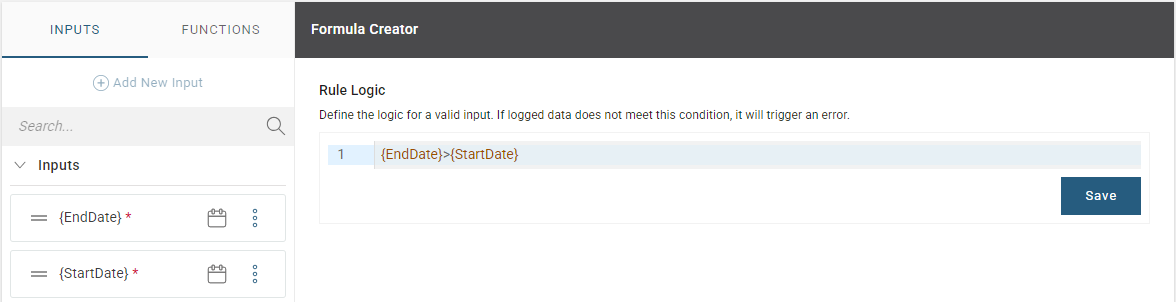
{EndDate}>{StartDate}The following validation message can be used:
{EndDate.source} cannot be earlier than {StartDate.source}: {StartDate.value}Here is an example of how it is mapped in a header:
Duplicate Entries Not Allowed
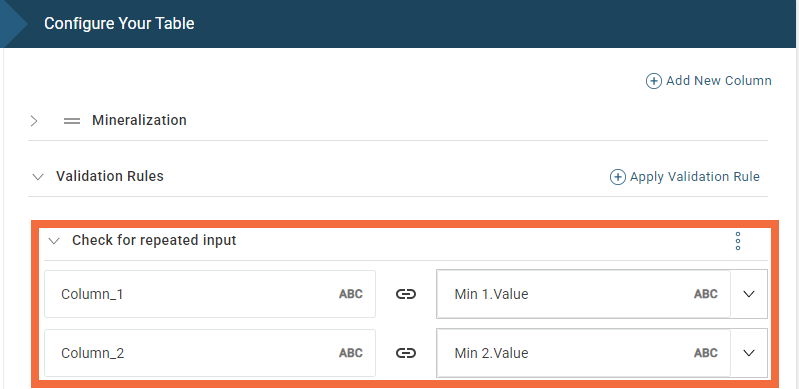
Use this validation rule to display an error message if duplicates are logged across two column entries where duplicates are not allowed. Two text type inputs, Column_1 and Column_2, are added for this validation rule.
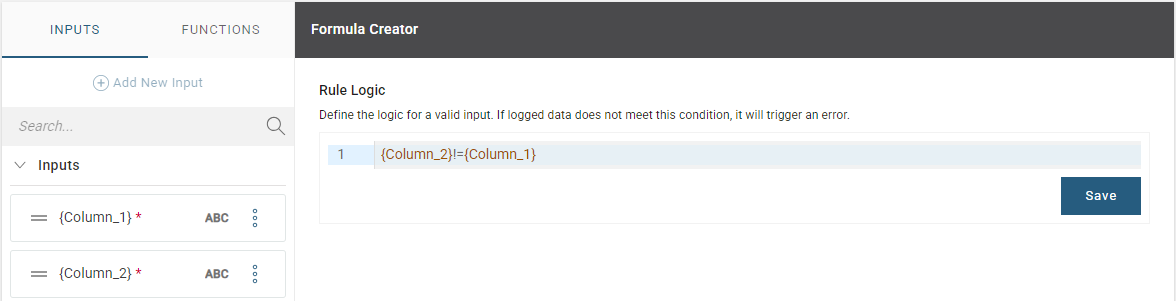
{Column_2}!={Column_1}The following validation message can be used:
{Column_2.source} cannot be {Column_2.value} because {Column_1.value} has been logged in {Column_1.source}Here is an example of how it is mapped to mineralization values in the Mineralization table:
Validate That Data is Filled Sequentially
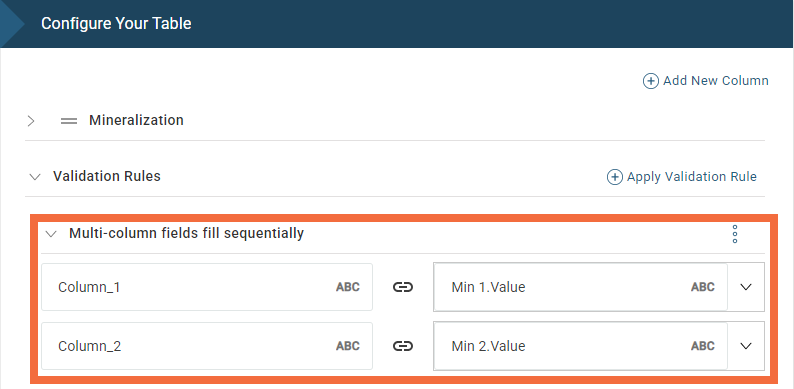
You can use this rule to validate that values are entered in order. Two text type inputs, Column_1 and Column_2, are added for this validation rule.
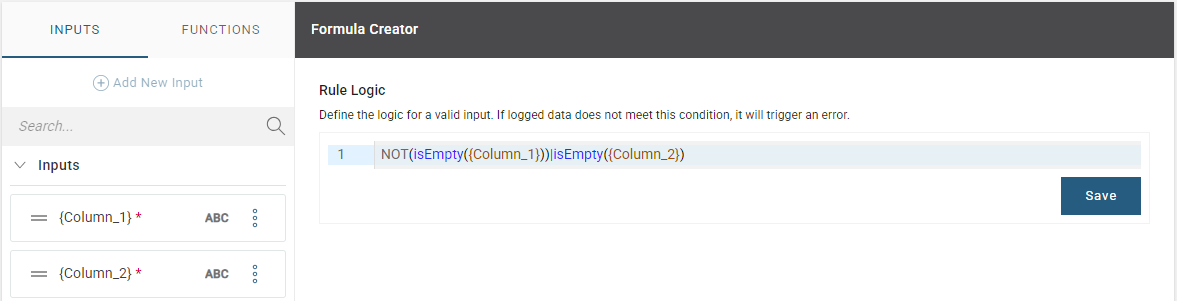
NOT(isEmpty({Column_1}))|isEmpty({Column_2})The following validation message can be used:
{Column_1.source} is not logged yet, log a value in {Column_1.source} firstHere is an example of how it is mapped to mineralization values in the Mineralization table:
Validate Data Against a Previous Amount
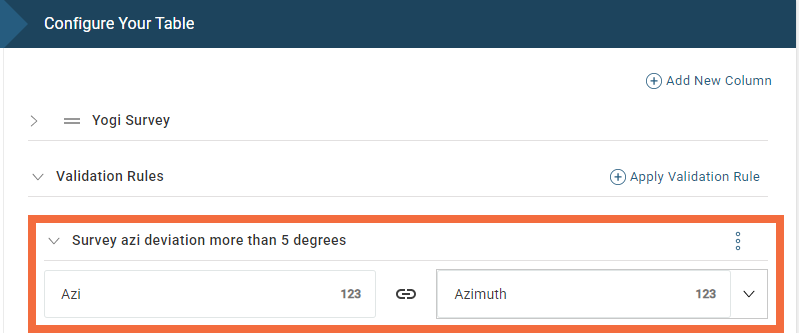
This rule validates the azimuth value entered in the survey table and will give a warning if it is more than 5 degrees of what was previously logged. A numeric type input, Azi, is added for this validation rule.
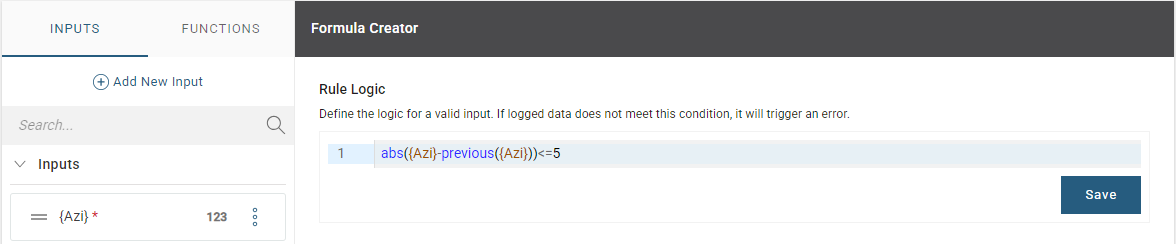
abs({Azi}-previous({Azi}))<=5The following validation message can be used:
Survey has deviated more than 5 degrees from previous measurementHere is an example of how it is mapped in the Survey table:
Flagging Characters Not Allowed
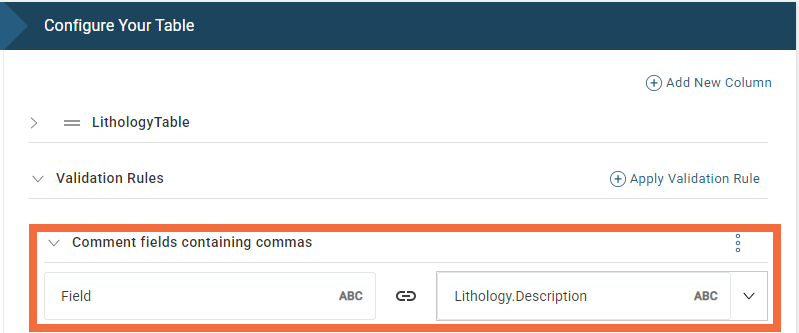
This validation will give an error message if a comma is used because it conflicts with CSV exports. A text type input, Field, is added for this validation rule.
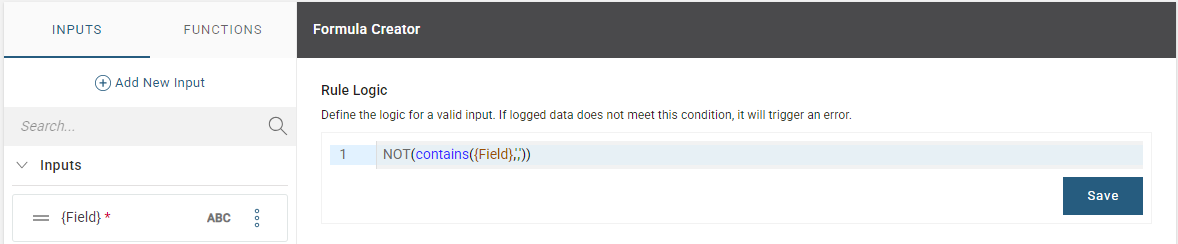
NOT(contains({Field},','))The following validation message can be used:
Please remove all commas from {Field.source}.Here is an example of how it is mapped to the description of the lithology in the LithologyTable: