
Viewing Drilling Prognoses
This topic describes how to view drilling prognoses for planned borehole groups. See Borehole Planning Groups for an overview of working with borehole groups in Leapfrog Works.
Planned boreholes in borehole groups can be evaluated against any model in the project. To view drilling prognoses for a borehole group, first evaluate at least one model on the group by right-clicking on the group in the project tree and selecting Evaluations.
Next, right-click on the group in the project tree and select Drilling Prognoses.
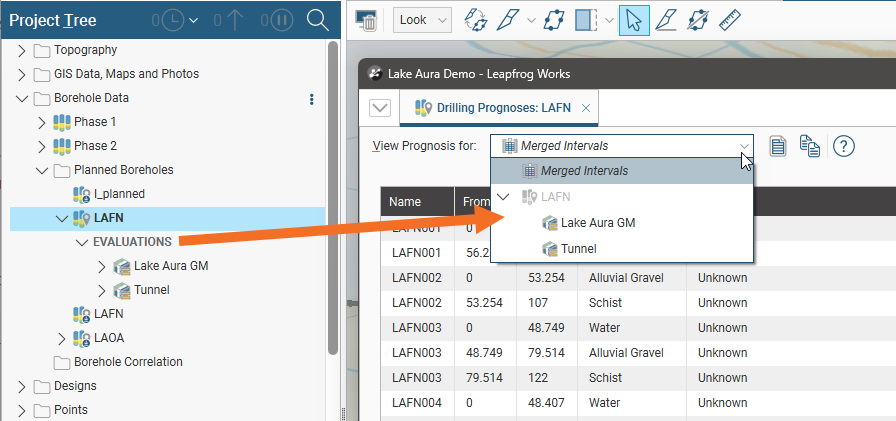
In the Drilling Prognoses tab, you can display the prognosis for each evaluation on the group, along with a Merged Intervals option that combines the information from all evaluations:
You can copy the information displayed to your computer’s clipboard by selecting rows, then clicking the Copy button ( ). The information in the selected rows will be copied as tab-delimited text, which can be pasted into a spreadsheet application such as Excel.