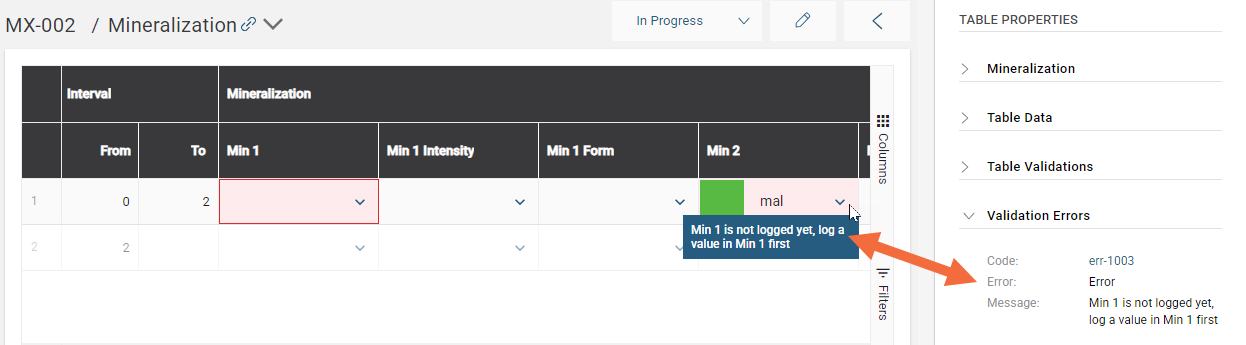
Using Validation Rules in Tables and Headers
When your validation rules are built, you can define how they are used in your tables and headers.
To apply validations rules, go to Site Settings > Logging > Tables or Headers.
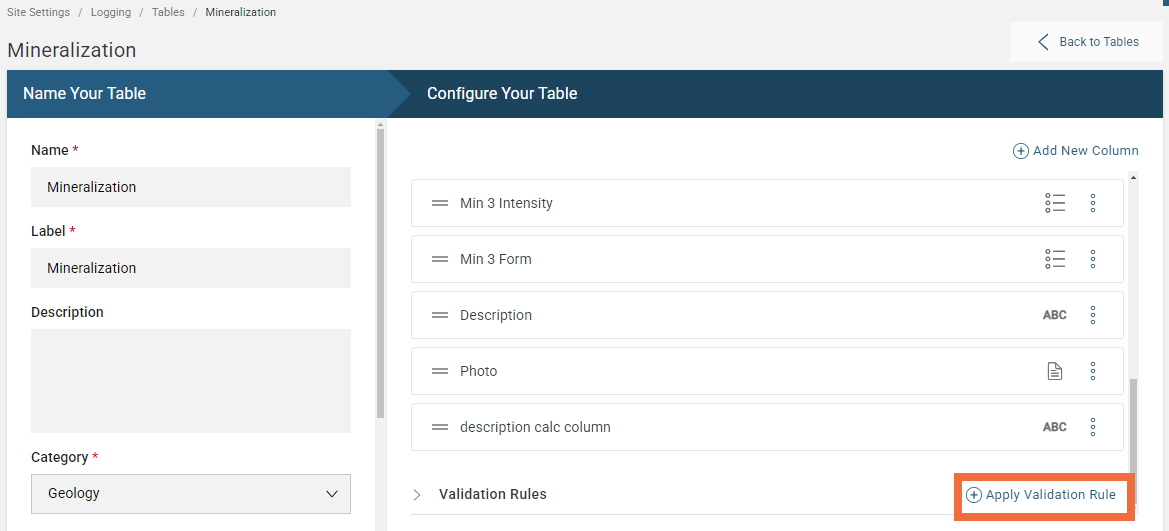
In this example, a validation rule is added to a table. Under the Configure Your Table step click Apply Validation Rule:
Select which validation rule to apply:
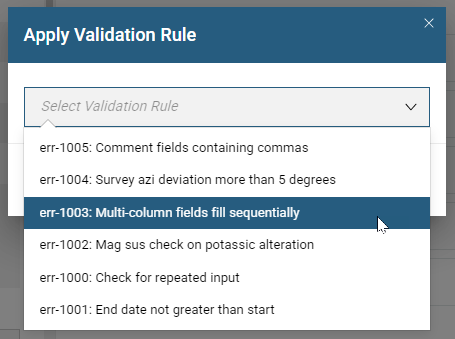
If the validation rule you want is not listed, it may be that the validation scope needs to change. See Creating a New Validation Rule for more information.
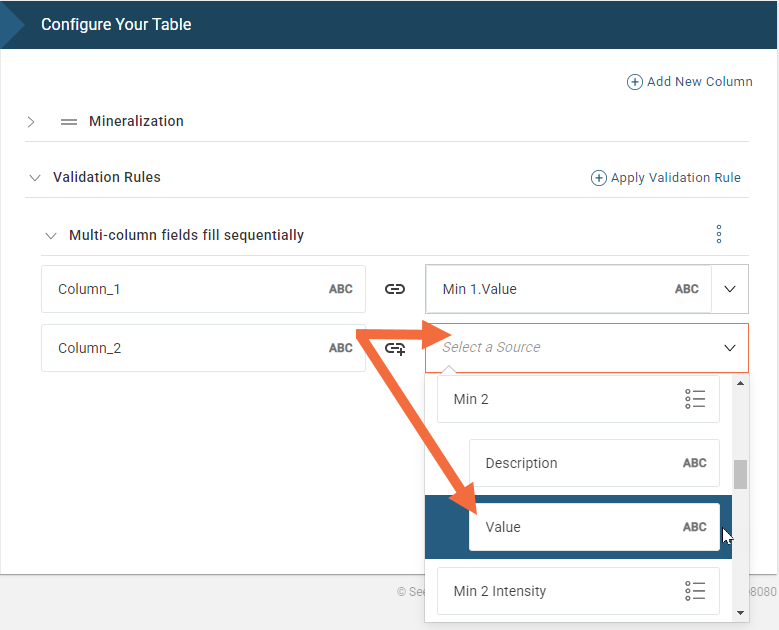
Next, map the validation rule inputs to a source in the table. In this example, the validation inputs, Column_1 and Column_2, are mapped to the values logged for the Min1 and Min2 columns of the Mineralization table:
The result is that when a logger tries to enter the Min2 value before the Min1 value has been logged, they will receive an error message: