
Setting up a block model for reporting
If no reports are available for a block model, you will need to create a new one. Before you can do this, you need to:
- Set the units used for the block model
- Set the units used for the numeric columns that will be used in reports
Setting the block model units
What units a block model uses is usually set when it is imported or published to BlockSync. However, for some older models, it may be necessary to set the units.
The units used can be set in the block model’s Configuration tab.
Setting up the numeric columns
To set up the numeric columns for generating reports, click on the block model’s Columns tab. If a numeric column does not have its unit set, that will be indicated in the Unit column as shown here:
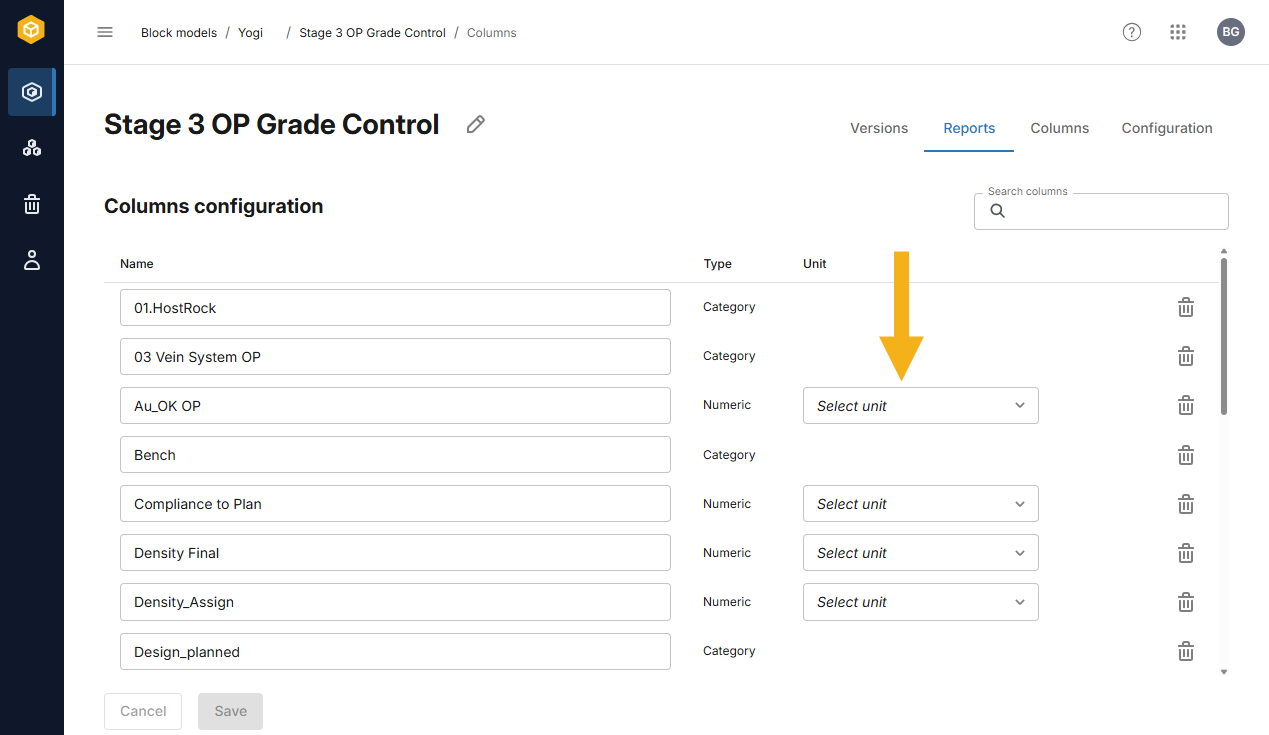
Set the unit for at least one of the numeric columns.
As described in Editing columns in the Viewing and editing block model information topic, saving changes to the numeric column’s units will create a new version of the block model.
Once the units are set for the block model and at least one of its columns, you are ready to create a report template and then generate a report. These steps are described in the Creating and generating reports topic.