
Sub-block infilling
This topic describes sub-block infilling, where data from the previous version of a block model is used to ‘infill’ sub-blocks that would otherwise contain no data.
Sub-block infilling is only available for fully sub-blocked models.
Sub-block infilling can be enabled:
- When a block model is first uploaded to BlockSync. See Update options for fully sub-blocked models in the Selecting columns topic.
- In the block model’s Configuration tab. See the Viewing and editing block model information topic.
Updates to fully sub-blocked models often result in previously undivided parent blocks being divided into sub-blocks. In some cases, the updated model covers only part of a newly-divided parent block. For example, here we can see that an undivided parent block in the previous version of the model is covered only in part by an update to the model:
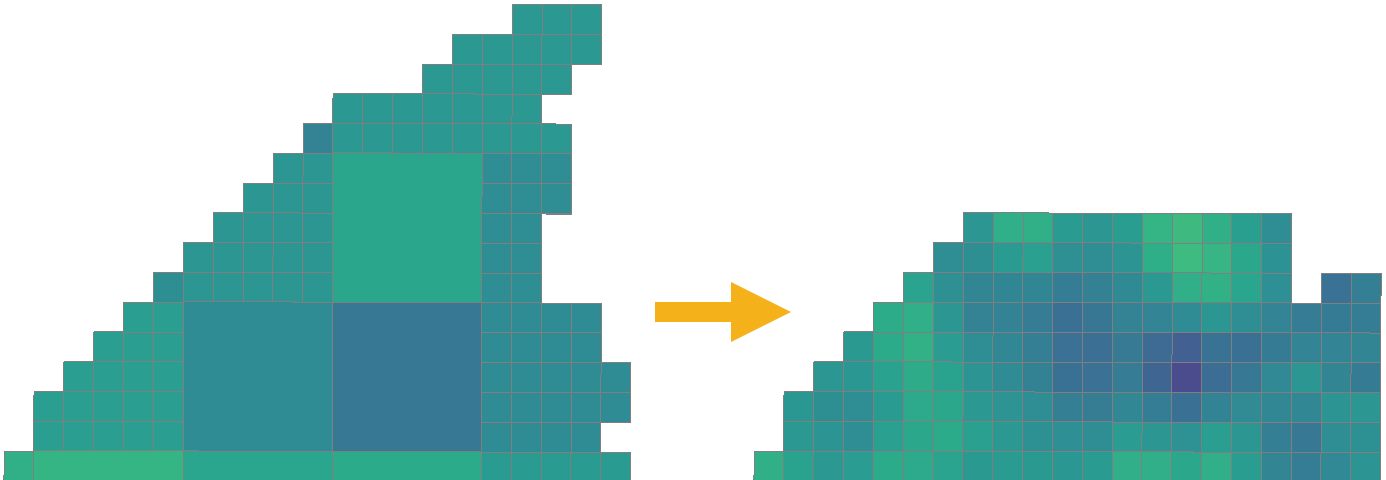
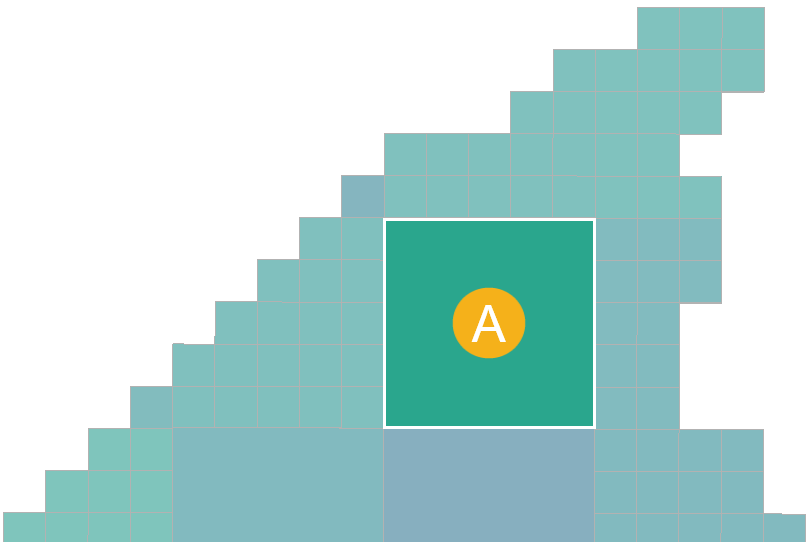
In detail, here we have highlighted the parent block in the original version (A) that will not be entirely covered by the update:
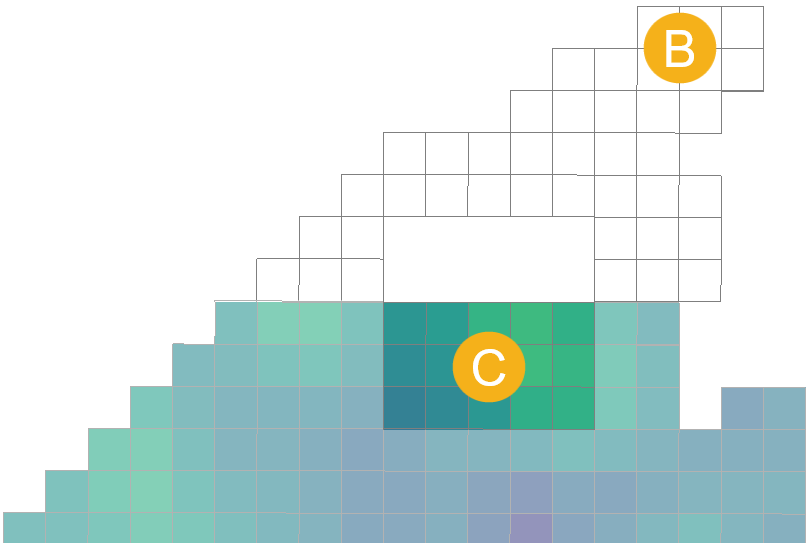
The blocks from the original version are shown in outline (B), and we can see that the update to the block model only covers part (C) of the parent block:
Once the update is applied, the parent block from the previous version will be sub-blocked. The values used for the sub-blocks are as follows:
- Where the update does not cover the new sub-blocks (D), the value used is that from the parent block in the previous version.
- Where the update covers the new sub-blocks (E), the update’s values are used for the sub-blocks.
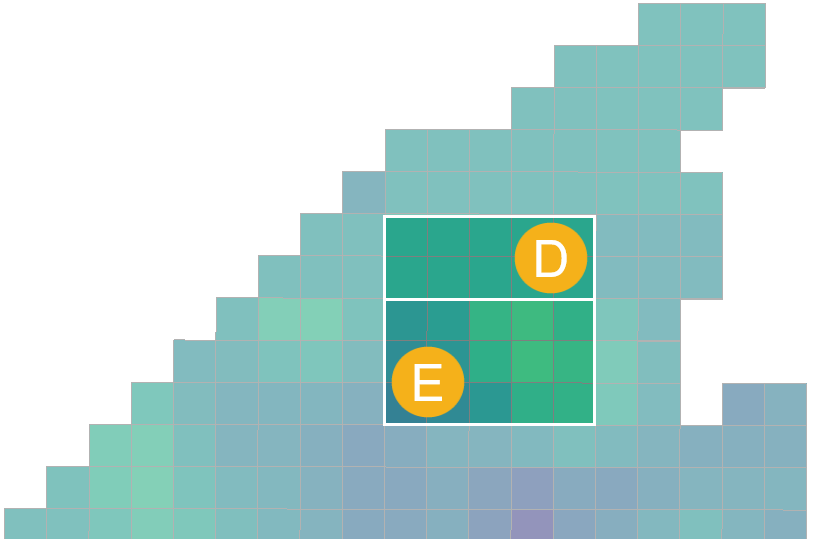
In the case where the update does not cover the new sub-blocks (D), how the new sub-block values are calculated from the parent block in the previous version depends on whether the units used are absolute or relative:
- Absolute units, such as mass or volume. The value from the original parent block will be divided among the new sub-blocks.
- Relative units, such as mass per mass (g/t, ct/t), mass per volume (kg/m3, t/m3), or value per mass ($/t, $/tn). The value from the original parent block will be used for each sub-block.