Statistics
Leapfrog Geo has a number of tools that help you to statistically analyse your data. The most basic information about an object is contained in the object’s Properties window, as described in Object Properties. Other tools include:
Note that a reminder of the reference for the Outer fence and Inner fence can be found by holding your mouse cursor over these fields to see the tooltip.
The Histogram Tab
When you view properties for some objects, a Histogram tab is available. For example, when you view the properties for interval tables and numeric data tables, the Histogram tab shows the distribution of the data in a particular column:
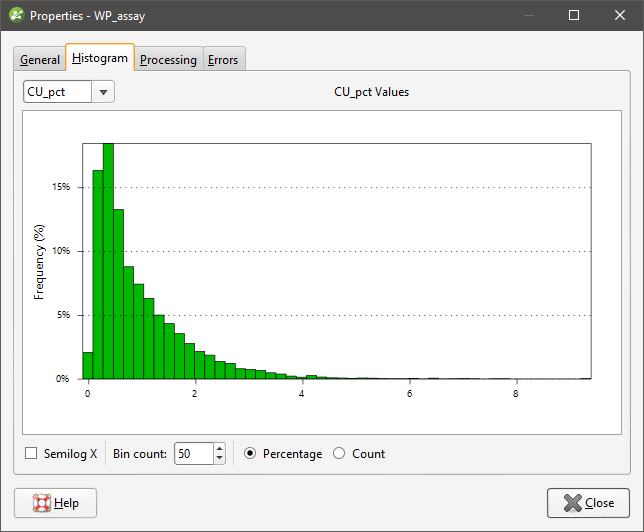
If the table contains several columns, you can display histograms for each column. If so, you will be able to choose the other columns from the list. You can also:
- Adjust the number of intervals in the histogram by changing the Bin count.
- Remove values less than zero by ticking the Semilog X box.
Changes made to the way the histogram is displayed are not saved when the Properties window is closed.
Object Statistics
Statistics are available for some objects in a Leapfrog Geo project. The information displayed is specific to the type of object.
- For grids of points, see Evaluating a Grid of Points.
- For back-flagged drillholes see:
- For RBF interpolants, see RBF Interpolant Statistics.
- For multi-domained RBF interpolants, see Sub-interpolant Statistics.
- For indicator RBF interpolants, see Indicator RBF Interpolant Statistics.
- For statistics on block models, see Statistics in the Block Models topic.