
Validations
With validations, you can build a validation process to help with data accuracy and reliability. This is done by creating validation rules in a formula creator and writing custom error messages for those rules.
Once created and enabled, validations can:
- Validate logged data against defined standards and criteria to check for errors.
- Ensure the data collected is complete and correctly formatted.
There are three types of validations:
- A Block rule prevents incorrect data from being entered.
- An Error rule marks the data as being incorrect but does not stop further data from being entered.
- A Warning rule displays a warning message but does not mark the data as incorrect.
This topic is an introduction to the validations list. It is divided into:
Separate topics describe Creating Validation Rules and Using Validation Rules in Tables and Headers. The Validation Rules Gallery contains examples of formulas that solve specific problems.
The Validations List
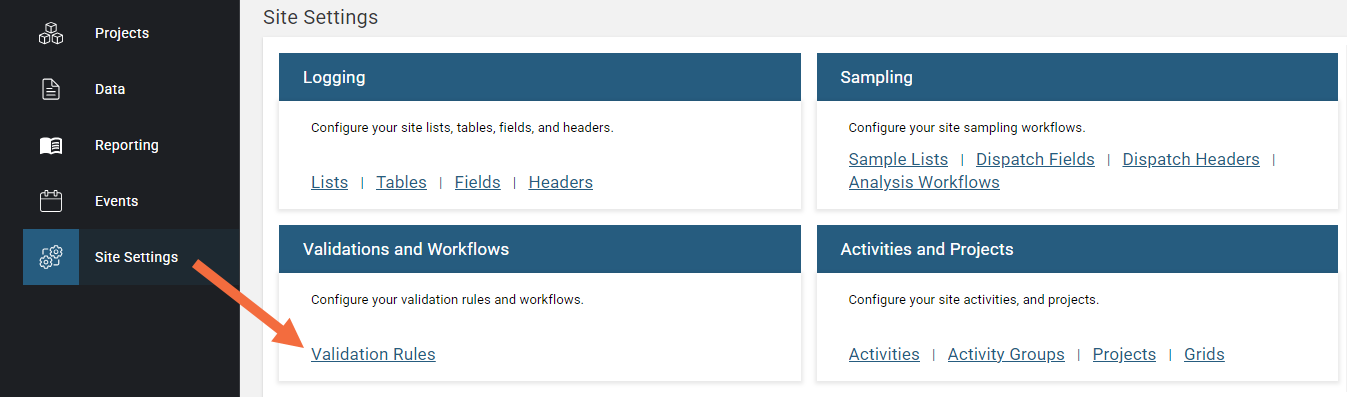
Validations are defined and managed under Site Settings > Validations and Workflows > Validation Rules:
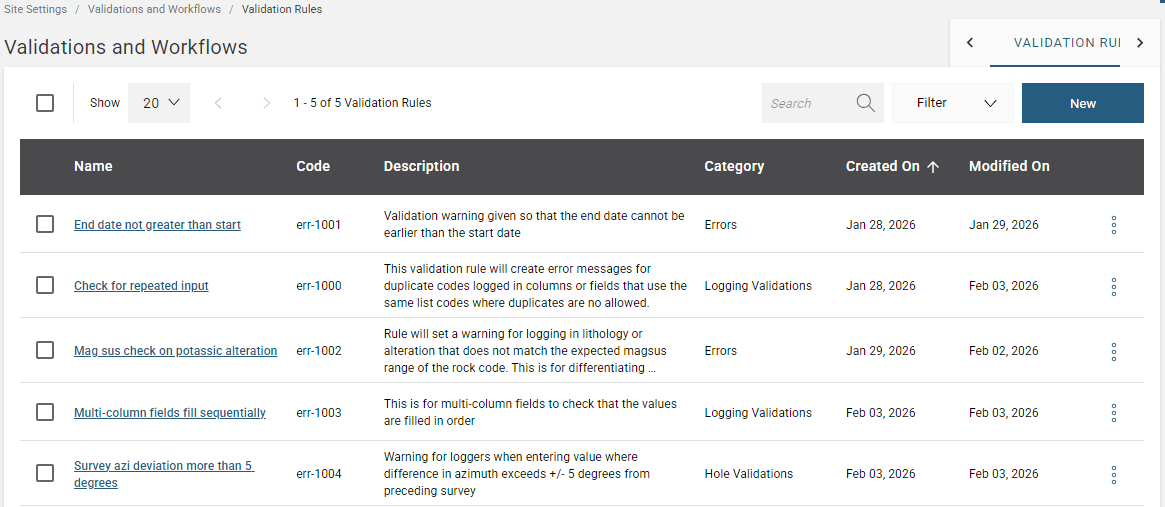
The validations list shows a summary of all of your validations. It is useful when creating a validation to include a description, so you can see at a glance what is it for. You can sort the validations by any of the headers. Here the Validation Rules are sorted by the Created On date.
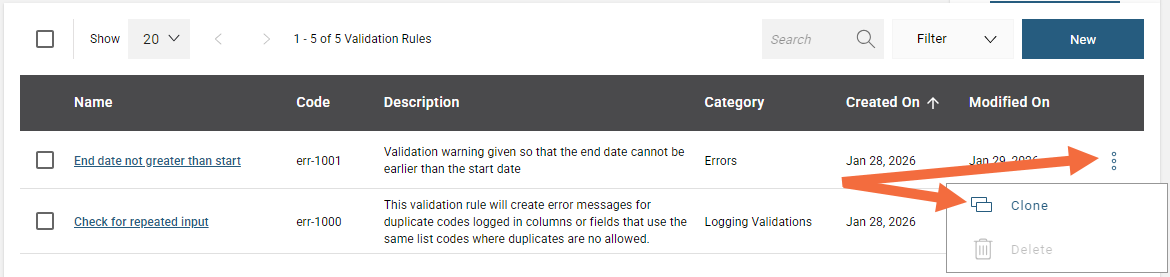
You can copy existing validations by clicking Clone in the overflow menu:
Deleting Validation Rules
You can delete a validation only if it is not used elsewhere in MX Deposit. If this is the case, a Delete option will be available from the Actions menu in the Properties panel of the selected validation. You will be asked to confirm your choice.
