
Sampling Configuration
This part of the help is for MX Deposit admins who are configuring the sampling process for the wider team. To start, click on Site Settings, then on Sampling:
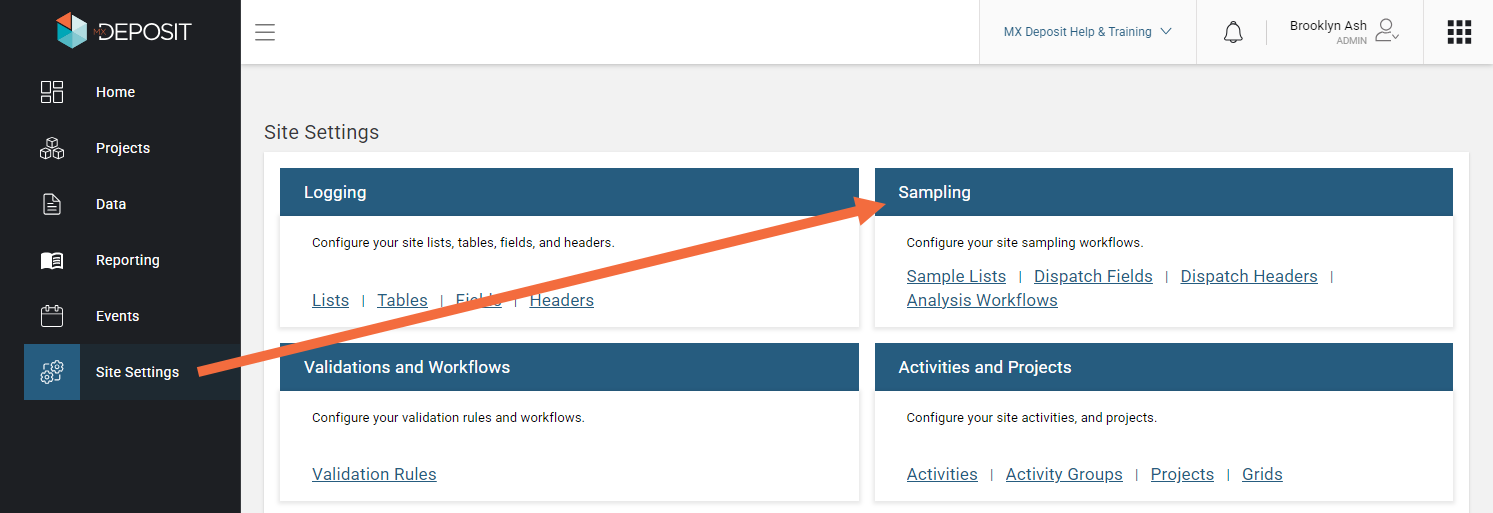
The Sampling section contains a library of objects used in setting up the sampling process. Your account will come preconfigured with some sample lists that are used in setting up your analysis workflows as well as the sampling step in the activity builder. It will also contain one dispatch header and a sample analysis workflow.
Configuring sampling requires the following objects be defined:
- Sample Lists. There are nine sample lists that are the building blocks for logging and dispatching samples and importing lab results. Your MX Deposit subscription will have your sample lists pre-configured however, you can enter new values if you need. See the Sample Lists topic.
- Dispatch Headers contain the information for sample submittal to the laboratory, such as client information and instructions for the laboratory. The dispatch header is added to the sample analysis workflow. See the Configure Dispatch Headers topic.
- Analysis Workflows outline the details of assay sampling and will be used to track samples from collection through to the import of completed sample certificates. See the Build Analysis Workflows topic.